

Home
- ▶
- Heaters/Source
- ▶
- Agilent Heaters and SensorsMass Spectrometry, Scientific Supplies & ManufacturingScientific Instrument Services 5973 Source Heater Tamper Resistant Allen Wrench 5973/5975 Quad Sensor 5985 Source Heater Assembly Agilent Interface Heater Assembly 5971 Interface Heater
- ▶
- Multipliers (This Page)
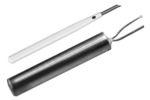
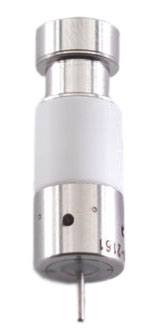
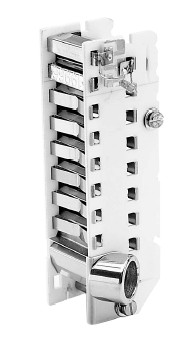
Adaptas provides replacement detectors from the major brands of electron multipliers: Detector Technologies (DeTech) and ETP. Our detectors are used in a wide array of applications including mass spectrometry, RGAs, process monitoring, photon detection, and ESCA.
Select by Instrument:
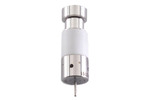 Agilent/HP Scientific Instrument Services, Inc. provides replacement detectors for your Agilent mass spectrometer. Multipliers are from the major manufacturers of electron multipliers.
- Amptek SIS provides replacement detectors for your Amptek mass spectrometer. Multipliers are from the major manufacturers of electron multipliers.
 Anelva SIS provides replacement detectors for your Anelva mass spectrometer. Multipliers are from the major manufacturers of electron multipliers.
- Bear Scientific Instrument Services, Inc. provides replacement detectors for your mass spectrometer. Multipliers are from the top manufacturers.
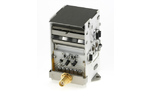 BioRad/Ciphergen For instruments: BioRad (ciphergen), Protein Chip 2 - MALDI-TOF
- Bruker Scientific Instrument Services, Inc. provides replacement detectors for your Bruker mass spectrometer. Multipliers are from the top manufacturers.
- Cameca Scientific Instrument Services, Inc. provides replacement detectors for your mass spectrometer. Multipliers are from the top manufacturers.
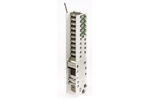 Comstock For instruments: Comstock Mini-TOF, Thermedics Detection
 CVC 1100
 - Dune
- DuPont Scientific Instrument Services, Inc. provides replacement detectors for your mass spectrometer. Multipliers are from the top manufacturers.
- Extrel Scientific Instrument Services, Inc. provides replacement detectors for your mass spectrometer. Multipliers are from the top manufacturers.
- FEI Scientific Instrument Services, Inc. provides replacement detectors for your mass spectrometer. Multipliers are from the top manufacturers.
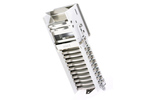 GBC For instruments: GBC, Optimass - App: TOF
- Griffin For instruments: Griffin Minotaur
- Hiden SIS provides replacement detectors for your Hiden mass spectrometer. Multipliers are from the major manufacturers of electron multipliers.
- Hitachi Scientific Instrument Services, Inc. provides replacement detectors for your mass spectrometer. Multipliers are from the top manufacturers.
- Inficon
(Balzers/Leybold)Scientific Instrument Services, Inc. provides replacement detectors for your mass spectrometer. Multipliers are from the top manufacturers. - JEOL Scientific Instrument Services, Inc. provides replacement detectors for your mass spectrometer. Multipliers are from the top manufacturers.
- LKB Scientific Instrument Services, Inc. provides replacement detectors for your mass spectrometer. Multipliers are from the top manufacturers.
- Mass Analyzer Products Scientific Instrument Services, Inc. provides replacement detectors for your mass spectrometer. Multipliers are from the top manufacturers.
- Mass Sensors
- McCallister Scientific Instrument Services, Inc. provides replacement detectors for your mass spectrometer. Multipliers are from the top manufacturers.
- Nermag Scientific Instrument Services, Inc. provides replacement detectors for your mass spectrometer. Multipliers are from the top manufacturers.
 Nu Inst SIS provides replacement detectors for your mass spectrometer. Multipliers are from the major manufacturers of electron multipliers.
- Orbital
- Omicron Scientific Instrument Services, Inc. provides replacement detectors for your mass spectrometer. Multipliers are from the top manufacturers.
- PerkinElmer Scientific Instrument Services, Inc. provides replacement detectors for your mass spectrometer. Multipliers are from the top manufacturers.
- Riber SIS provides replacement detectors for your mass spectrometer. Multipliers are from the major manufacturers of electron multipliers.
- Sciex/AB Scientific Instrument Services, Inc. provides replacement detectors for your mass spectrometer. Multipliers are from the top manufacturers.
 Seiko For instruments: Seiko Instruments ICP/MS and Seiko Ion Mask Repair
 Sensar For instruments: Sensar TOF2000
- Shimadzu
(Kratos)Scientific Instrument Services, Inc. provides replacement detectors for your mass spectrometer. Multipliers are from the top manufacturers.  Standford For instruments: Stanford Research Systems RGA
- Teledyne SIS provides replacement detectors for your mass spectrometer. Multipliers are from the major manufacturers of electron multipliers.
- Thermedics For instruments: Comstock Mini-TOF, Thermedics Detection
- Thermo/Finnigan Scientific Instrument Services, Inc. provides replacement detectors for your Thermo mass spectrometer. Multipliers are from the top manufacturers.
- Ulvac Scientific Instrument Services, Inc. provides replacement detectors for your mass spectrometer. Multipliers are from the top manufacturers.
- UTI/MKS Scientific Instrument Services, Inc. provides replacement detectors for your mass spectrometer. Multipliers are from the top manufacturers.
- Vacuum Tech SIS provides replacement detectors for your mass spectrometer. Multipliers are from the major manufacturers of electron multipliers.
- Varian Scientific Instrument Services, Inc. provides replacement detectors for your Varian mass spectrometer. Multipliers are from the top manufacturers.
 Vestec Electron Multipliers are available for the Vestec Thermospray from S.I.S.
- Viking Get a DeTech 2300 Electron Multiplier here. Used in Agilent 5975 MSD (without TAD)/5973/5972/5971/5970/1100 LC-MSD mass spectrometers and backed by a 100% no-nonsense warranty. Developed by Detector Technology, Inc.
- Waters/Micromass/VG Scientific Instrument Services, Inc. provides replacement detectors for your Waters / Micromass / VG mass spectrometer. Multipliers are from the top manufacturers.
- Generic Scientific Instrument Services, Inc. provides replacement detectors for generic mass spectrometer. Multipliers are from the top manufacturers.